 Meridian
See who’s awake before you call.
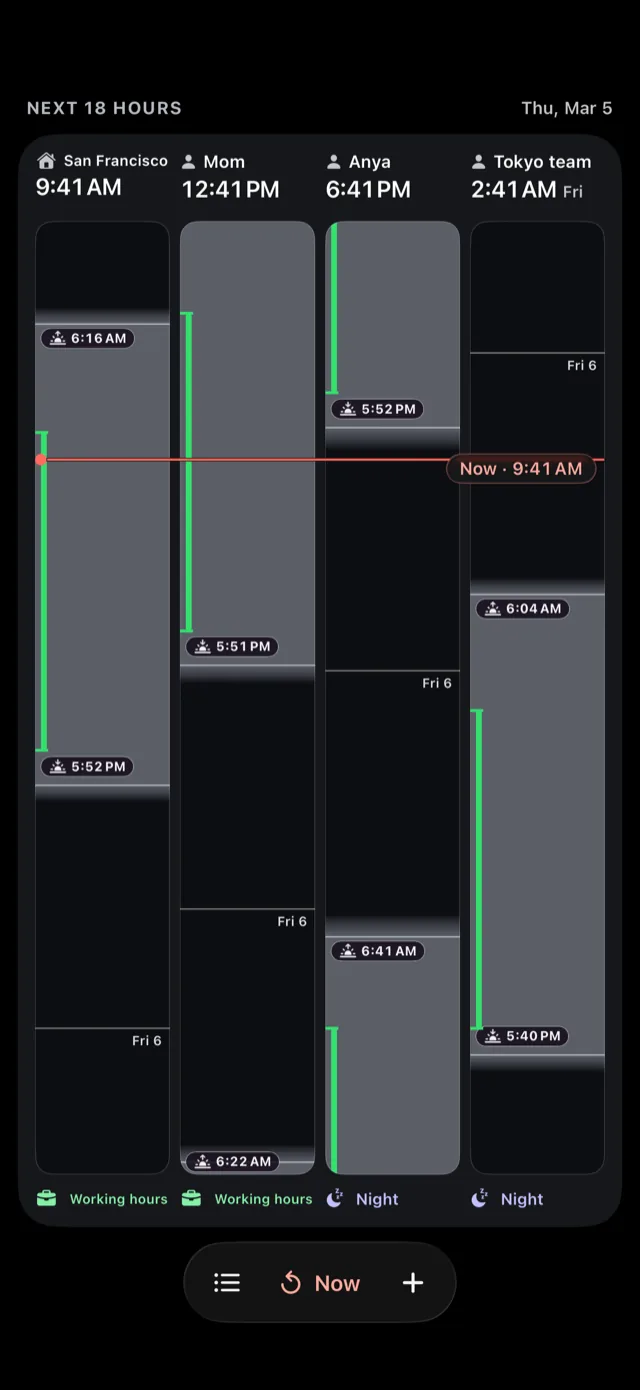
Every place and person you keep up with gets a lane, shaded by its real daylight. A dark band means they are asleep. You don’t have to work it out.
Free to start. One‑time purchase to add every lane, and no subscription, ever. No ads, no tracking, no account.
Some questions a clock can’t answer
Is it too early to call Mom?
Her clock says 6:41. That is either breakfast or the middle of the night, and the number alone will not tell you which.
Is the Tokyo office still awake?
You know the offset. You still have to do the arithmetic, and then decide what the answer means.
Will anyone in Berlin read this today?
Not a question about time. A question about whether a person is at their desk.
A list of digits confirms a time you had already guessed. Shading answers the question you actually had.
Real daylight, not just digits
Each lane is drawn from real solar math, computed for that place’s own coordinates. Sunrise, sunset and civil twilight sit exactly where they belong.
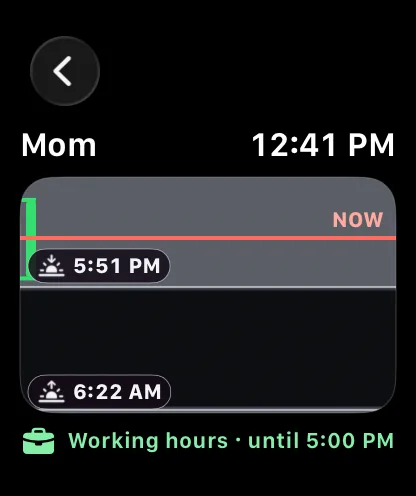
The band is the data. Dark means night. The ramp between is twilight. Every official sunrise and sunset carries a hairline and a time chip, so you can read the moment as well as the shape.
58 automated tests pin those values against almanac tables within 120 seconds, including Tromsø in polar night and Anchorage under white nights, when the sun sets but never fully goes dark.
Working hours
Working hours
Night
Night
Working hours you set yourself
Awake is not the same as reachable. Mark when someone is actually available and a green rail runs down their lane, so “nine to five” stops being a guess about a country you have never worked in.
Under each lane, one line says the state in words: Night, Early, Working hours, Evening, Day off. The color is never doing the work on its own. Every state carries a symbol and a label, and VoiceOver reads the whole lane as a sentence.
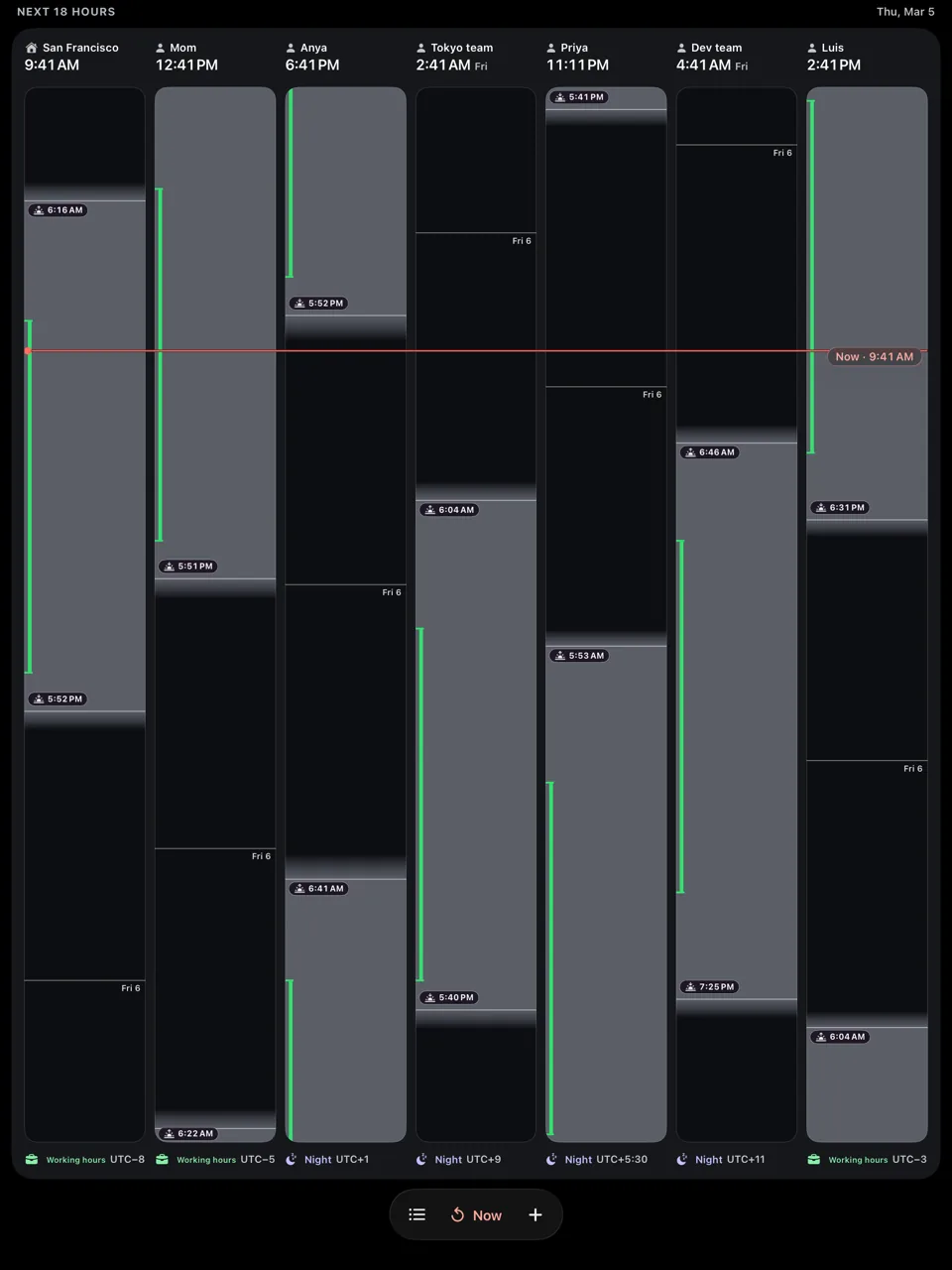
One red line for now.
Drag it anywhere.
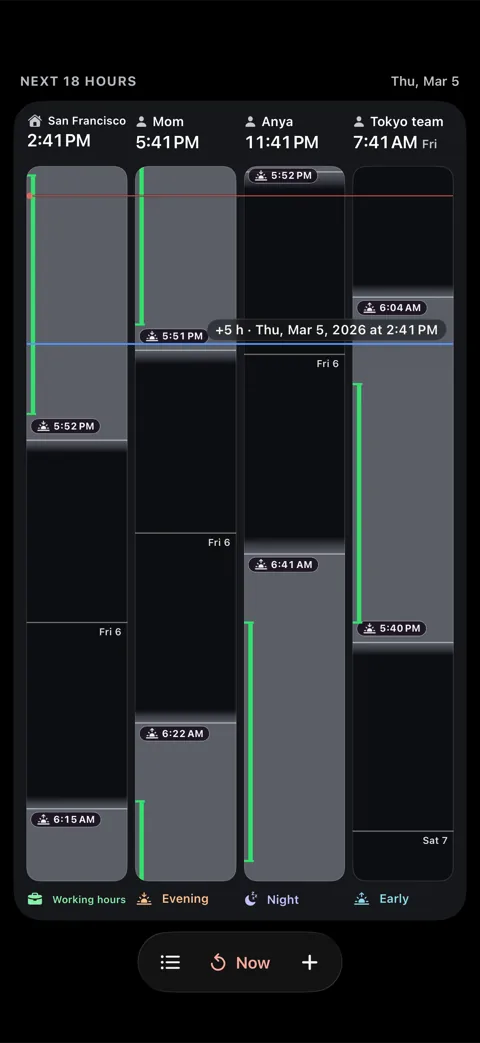
The now line crosses every lane at once. Drag anywhere on the timeline to scrub forward or back, and all your lanes move together, so you are never comparing two moments by accident. Let go and it settles on a clean time.
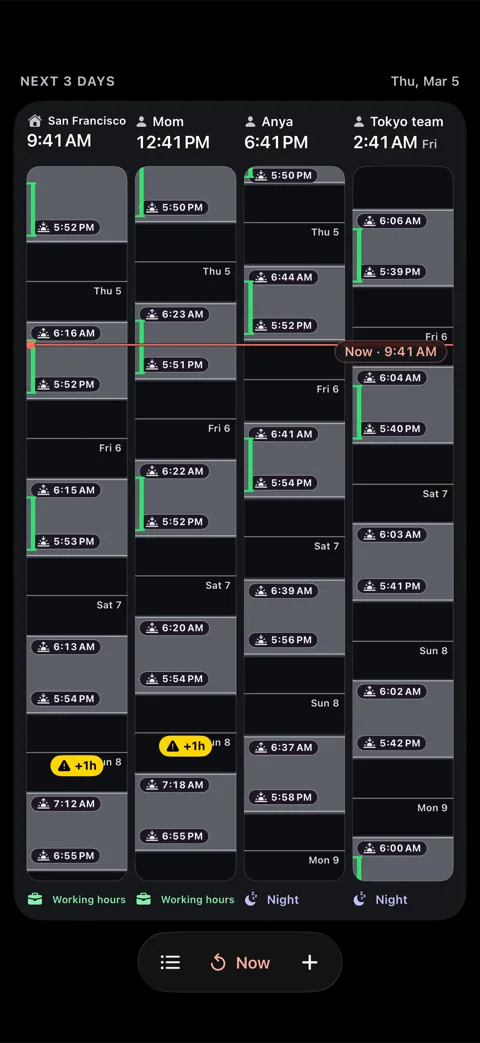
Pinch in to read the next few hours hour by hour. Pinch out to see days of solar rhythm at a glance.
Know before the clocks change
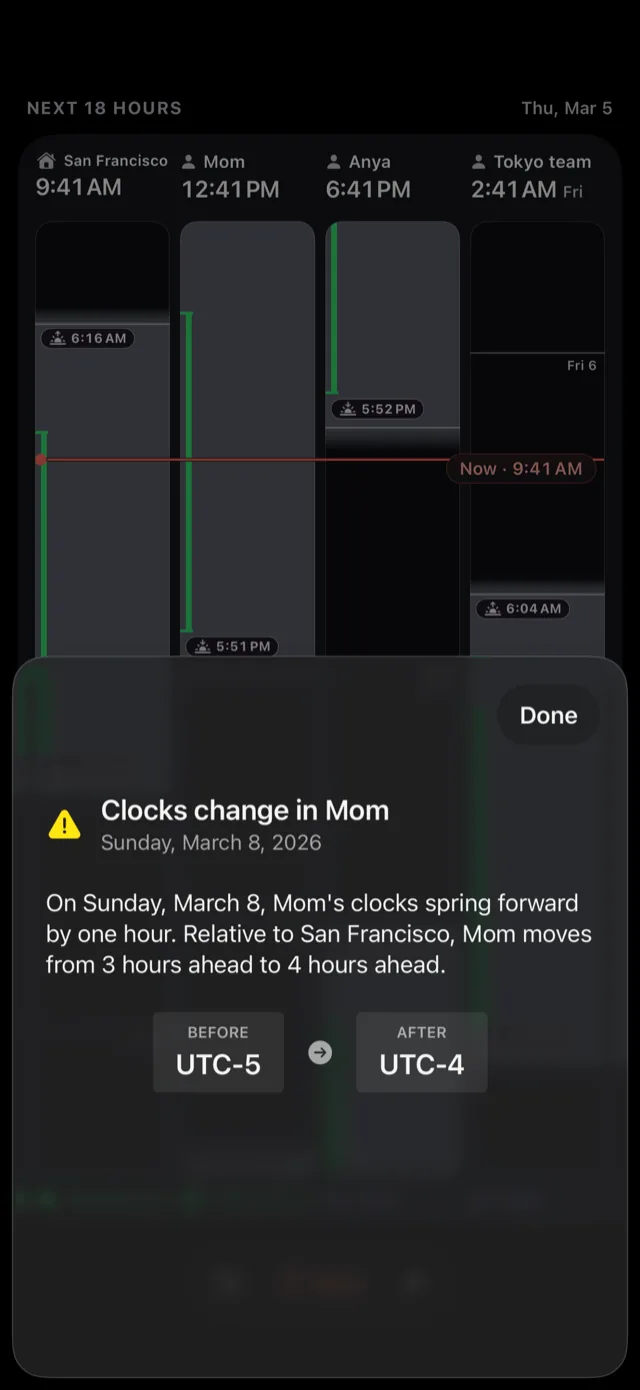
Daylight saving is the mistake that quietly costs people meetings. Two countries shift on different weekends, an offset you had memorized is wrong for two weeks, and nothing warns you.
Meridian watches the next 21 days for the next clock change in every lane and says what is about to happen in one sentence:
“On Sunday, March 29, Anya’s clocks spring forward by one hour. Relative to San Francisco, Anya moves from 8 hours ahead to 9 hours ahead.”
Before and after offsets, named lanes, plain words. Not a badge you have to interpret.
Lanes for people, places and UTC
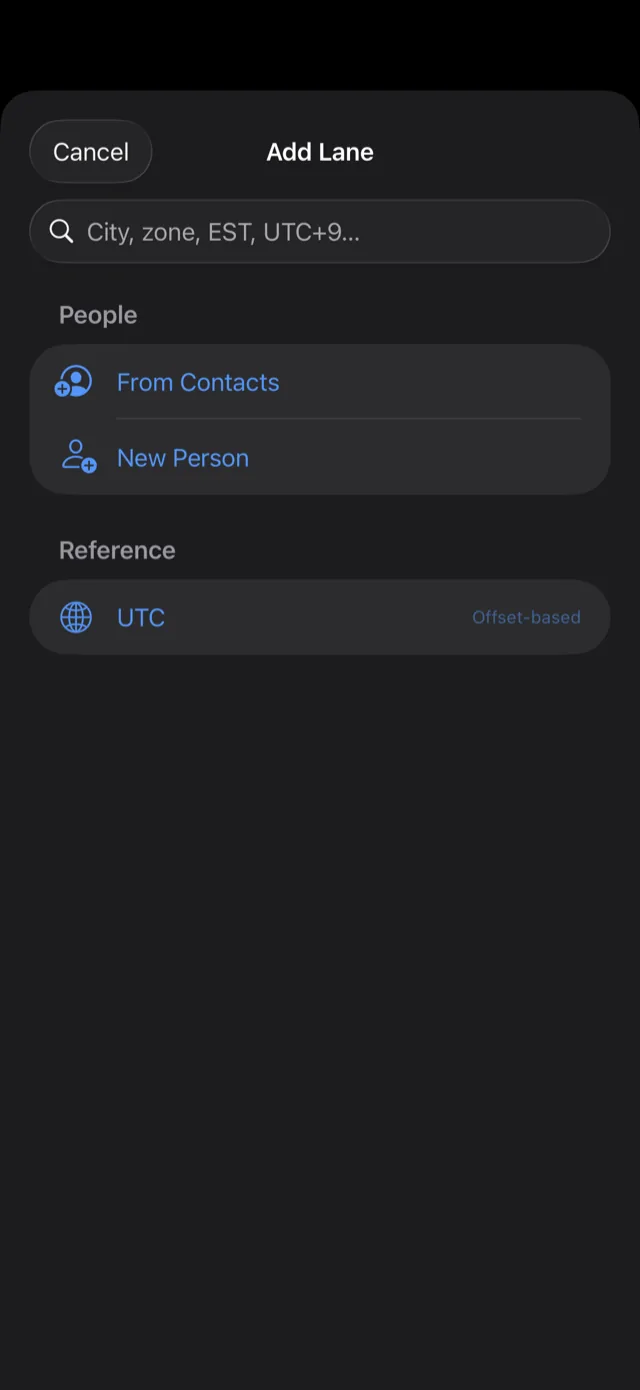
A lane can be a place, a person, or a fixed offset. Add any of 312 bundled cities, pick someone from Contacts, or pin something abstract like UTC.
Then name it whatever you actually call it. Mom. Anya. The Tokyo team. You are not keeping up with a time zone, you are keeping up with a person, and the app should say their name.
A fixed offset has no sun, so it is never given false shading. It gets a diagonal hatch and the words “No sun” instead.
Everywhere you already look
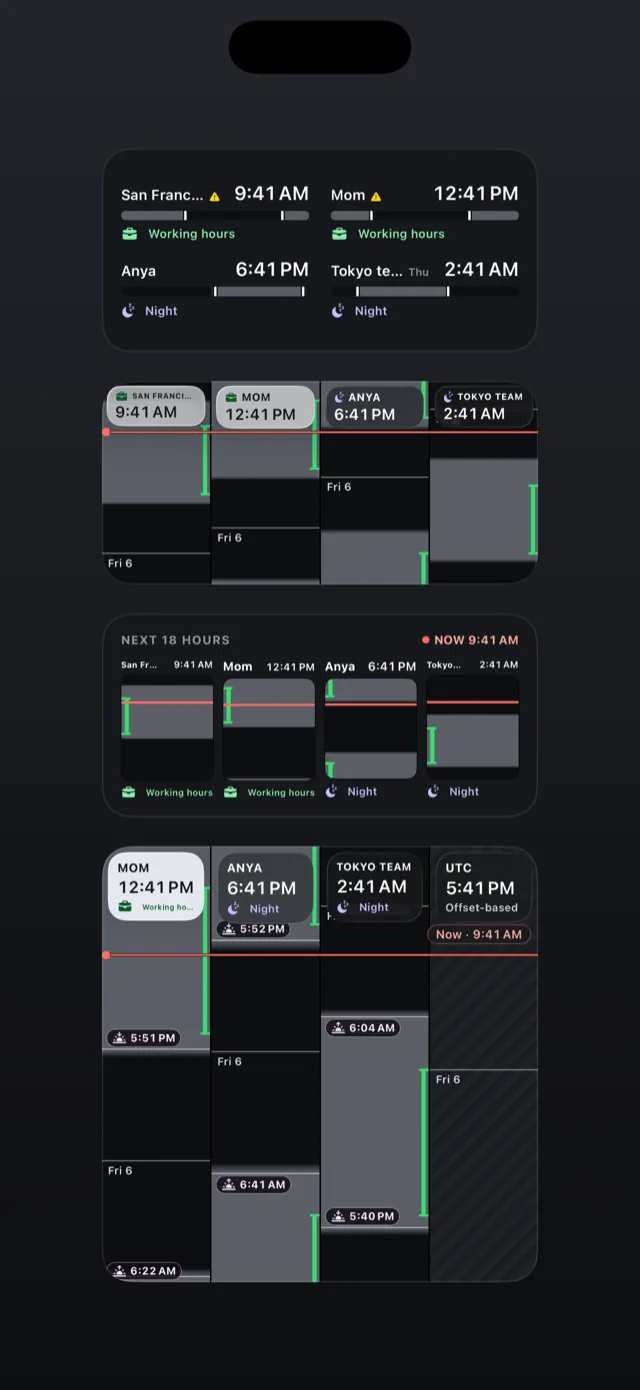
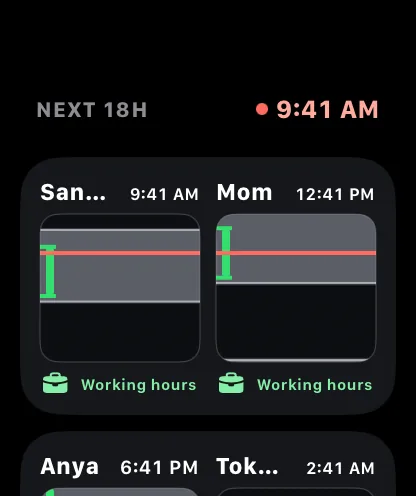
The same drawing at every size. A wrist glance and a Home Screen glance are the same instrument at different frames, not two apps that resemble each other.
Widgets
Four Home Screen widget kinds, from a single lane to a full timeline, in sizes up to extra large.
Lock Screen and Control Center
Inline, rectangular and circular accessories, plus a Control Center control.
Apple Watch
A full watch app and complications in four families, so a lane travels on your wrist.
Siri and Shortcuts
Ask out loud, or feed a lane into a shortcut you have already built.
There is no server, so there is nothing to leak
Your lanes sync privately through your own iCloud. They never touch a server we run, because there isn’t one.
No tracking, no analytics
No advertising identifier, no analytics SDK, no third-party dependencies at all. The only network traffic is between your device and Apple: your own iCloud sync, and the App Store handling the unlock.
No account to create
Nothing to sign up for and no password to forget. Open it and add a lane.
Works fully offline
All 312 cities and the whole solar model are on device. It works in airplane mode.
Calendar access is write-only
Meridian can add an event you create. It can never read your calendar, by design, not by policy.
Contacts, only the one you pick
No up-front permission prompt. The system picker hands over exactly one contact, when you choose it.
The full detail is in the Privacy Policy.
What it doesn’t do
Better you read this now than after you have paid for it.
| Question | Answer |
|---|---|
| Will it find the best meeting time for six people? | No. It shows you every lane at once and lets you scrub. It does not suggest slots. |
| Does it read my calendar? | No. Calendar access is write-only and cannot be widened. |
| Is there a Mac or Android app? A web version? | No, and none is announced. |
| What does it need? | iOS 26, iPadOS 26 or watchOS 26 or later. |
| What languages? | English at launch. |
| Does it warn about every clock change? | It reports the next clock change in each lane, up to 21 days ahead. If a lane has two transitions inside that window, you see the first. |
| Are there ads or a free tier with upsells? | No ads. The free download includes two lanes, your home lane among them; a single one-time purchase adds the rest, and nothing else is for sale. |
Get notified when Meridian launches
An email the day it reaches the App Store, then occasional tips for getting more out of your lanes. Unsubscribe whenever you like.
Submitting opens Substack, where you confirm. Substack receives your address. See Privacy.
The short answers
My iPhone already has a World Clock. Why this?
A list of digits can tell you what time it is somewhere. It cannot tell you whether the person is asleep, because that depends on where the sun is, and the sun moves through the year. Meridian draws the sun instead of leaving you to picture it.
Why should I trust the sunrise times?
They come from the NOAA solar algorithm, computed per lane, not looked up from a table. 58 automated tests check them against almanac values within 120 seconds, including the awkward cases: polar night in Tromsø, white nights in Anchorage, and Kiritimati on the far side of the date line.
Where does my data go?
Onto your device, and into your own iCloud private database if you are signed in. There is no server on our side to send it to. See the Privacy Policy.